Find the next stop for a working truck.
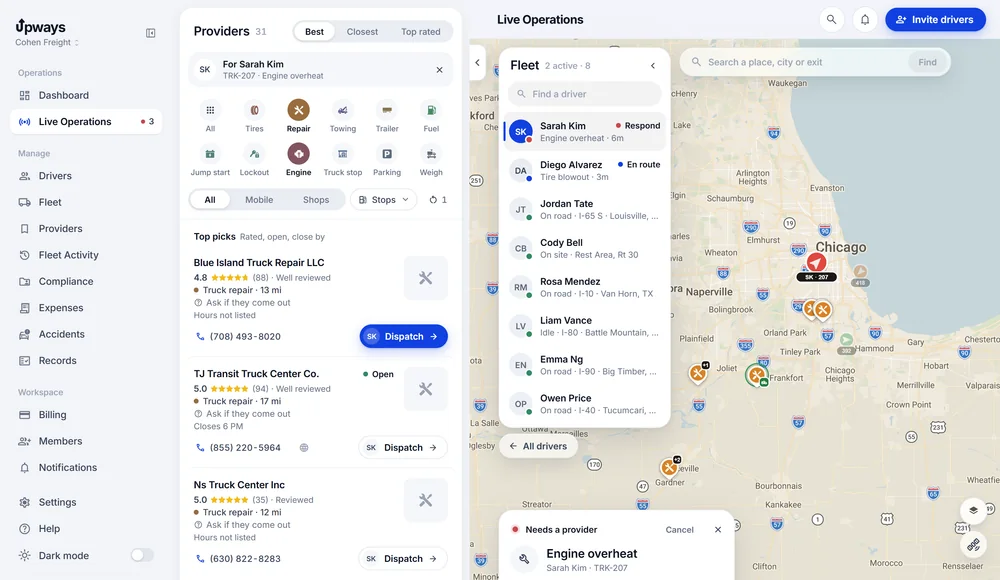
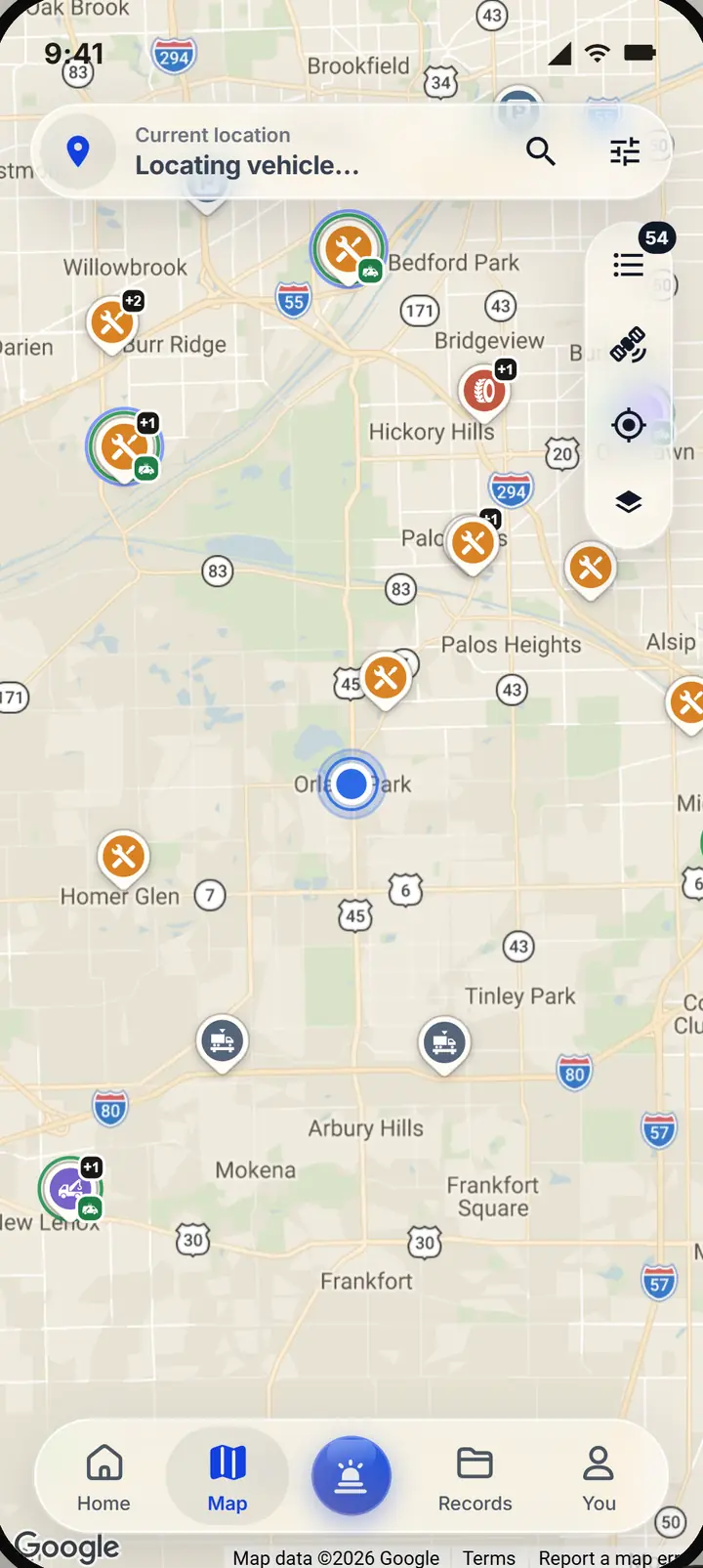
Truck services around the truck, on a map and in a list. Pick one and it becomes the driver's next step.
Only what the truck needs.
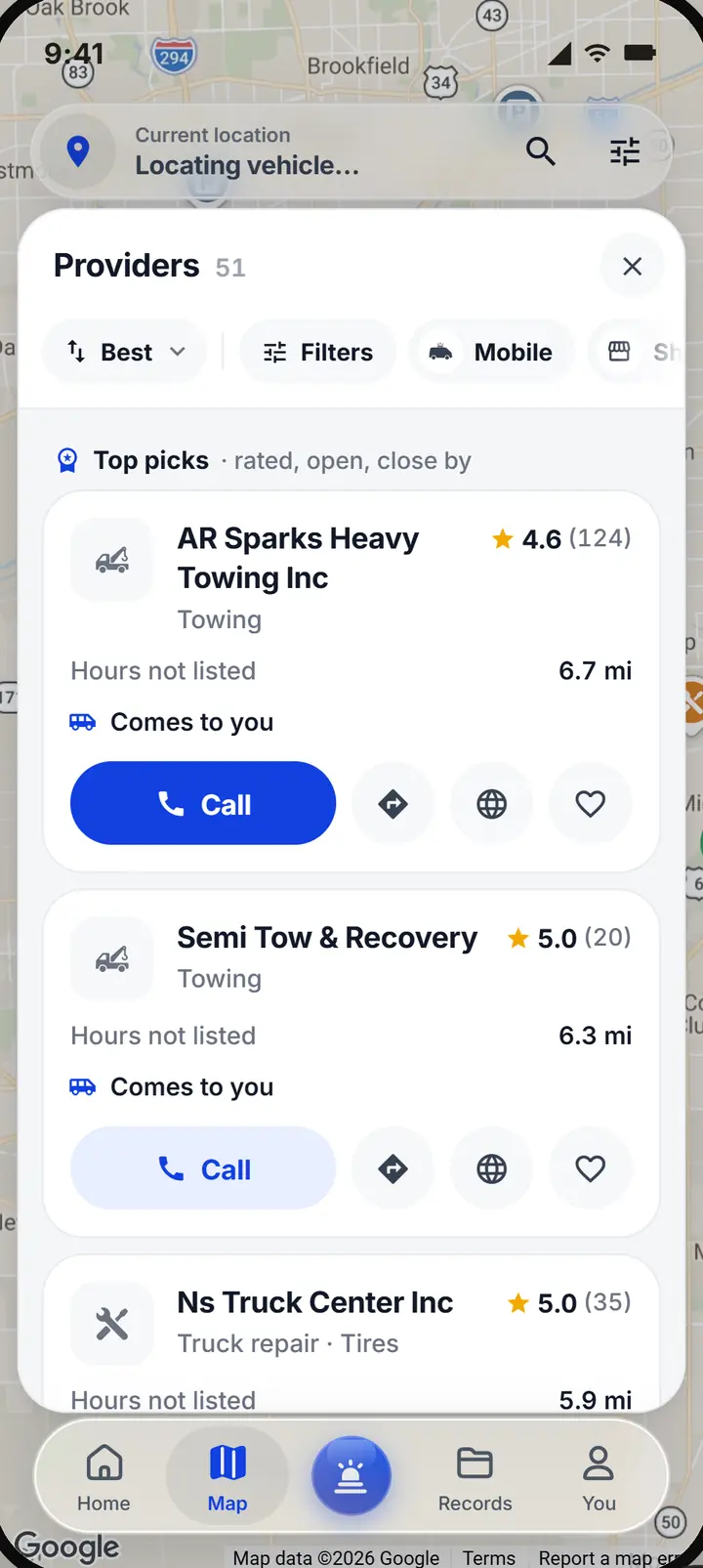
Filter by the problem: tire, repair, towing, trailer, fuel, jump start, lockout or engine, and by stops: truck stops, parking and weigh stations. Rated, reviewed shops come first, then the closest.
- The type of service, and whether they come out or you drive in
- The distance from the truck, and the phone number to call
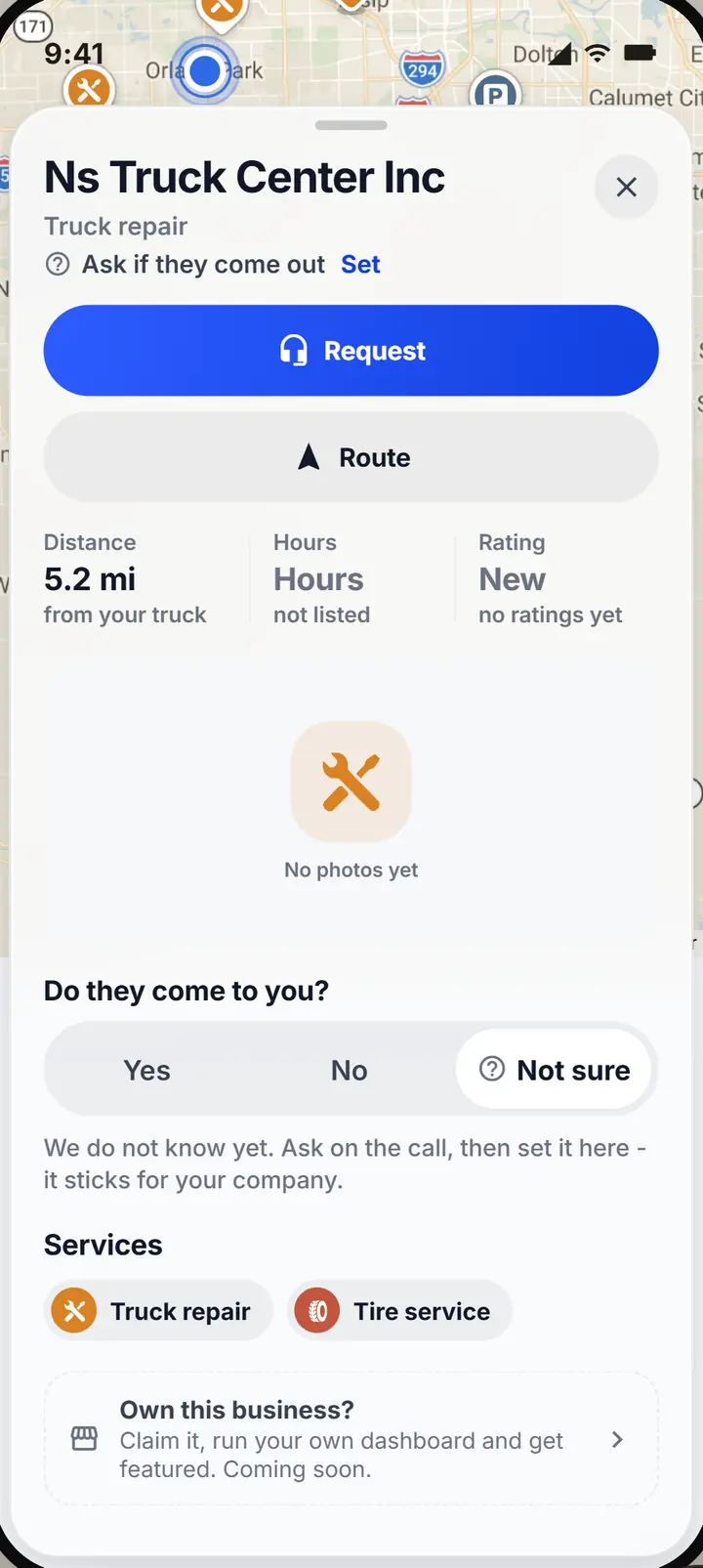
Honest about who comes out.
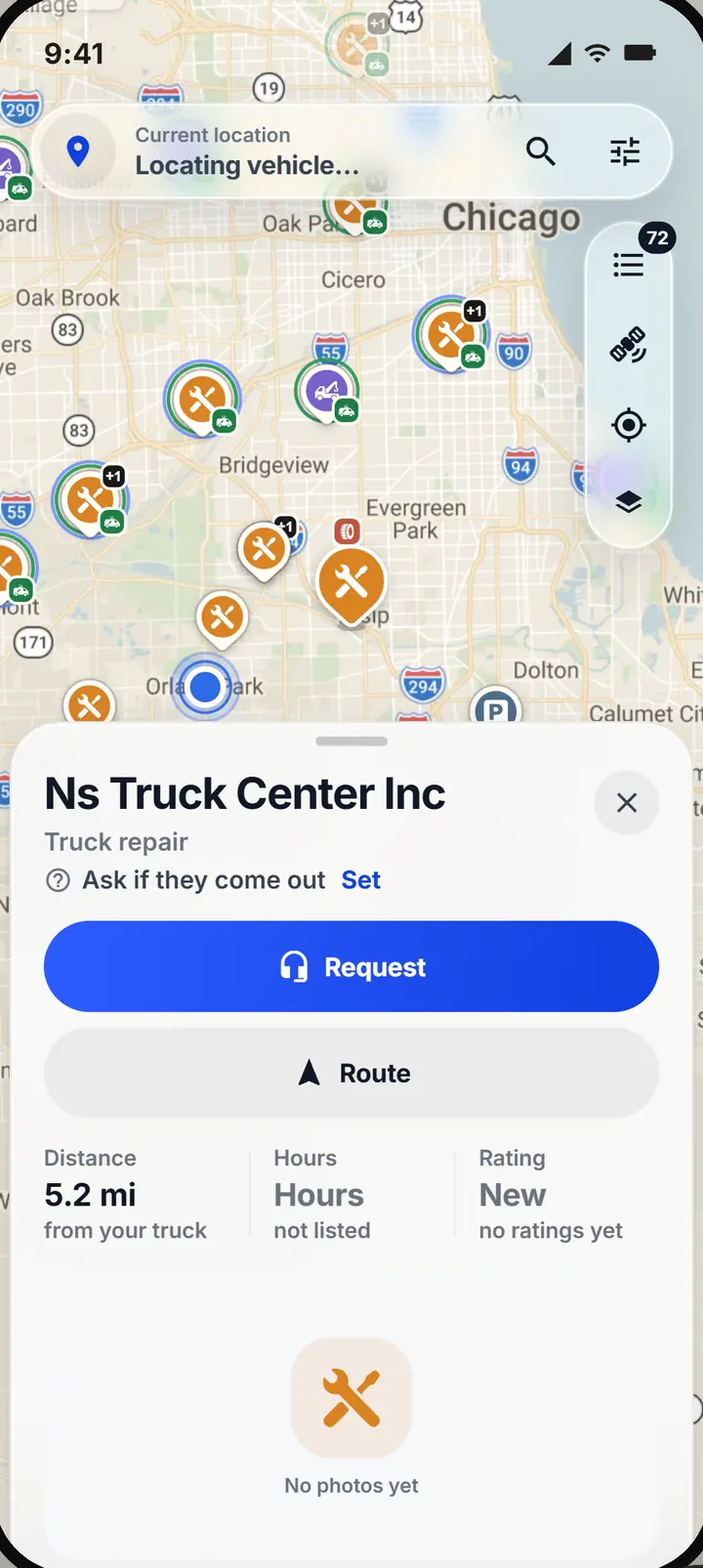
A shop says Comes to you or Shop only when that is known. When it is not, the listing says to ask on the call, and what you hear sticks for your company. A rating or hours that are not on record are not guessed either.
- Service type, and whether they come out, you drive in, or both
- Distance from the truck, and the phone number
- Rating and reviews when the listing has them
- Photos, website and hours when the business lists them
Three ways help reaches the driver.
The way help arrives changes what the driver is told and what arrived means.
Mobile service
The provider travels to the truck and the driver stays with it. The update is Provider arrived.
Drive to a provider
The driver travels to the shop, only when the truck can safely move. The update is I've arrived.
Towing
The tow truck comes to the driver, then the truck goes to a drop off. It has its own steps: secured, loaded, under way, dropped off.
A fuel stop or a weigh station is a destination. It never receives a rescue.
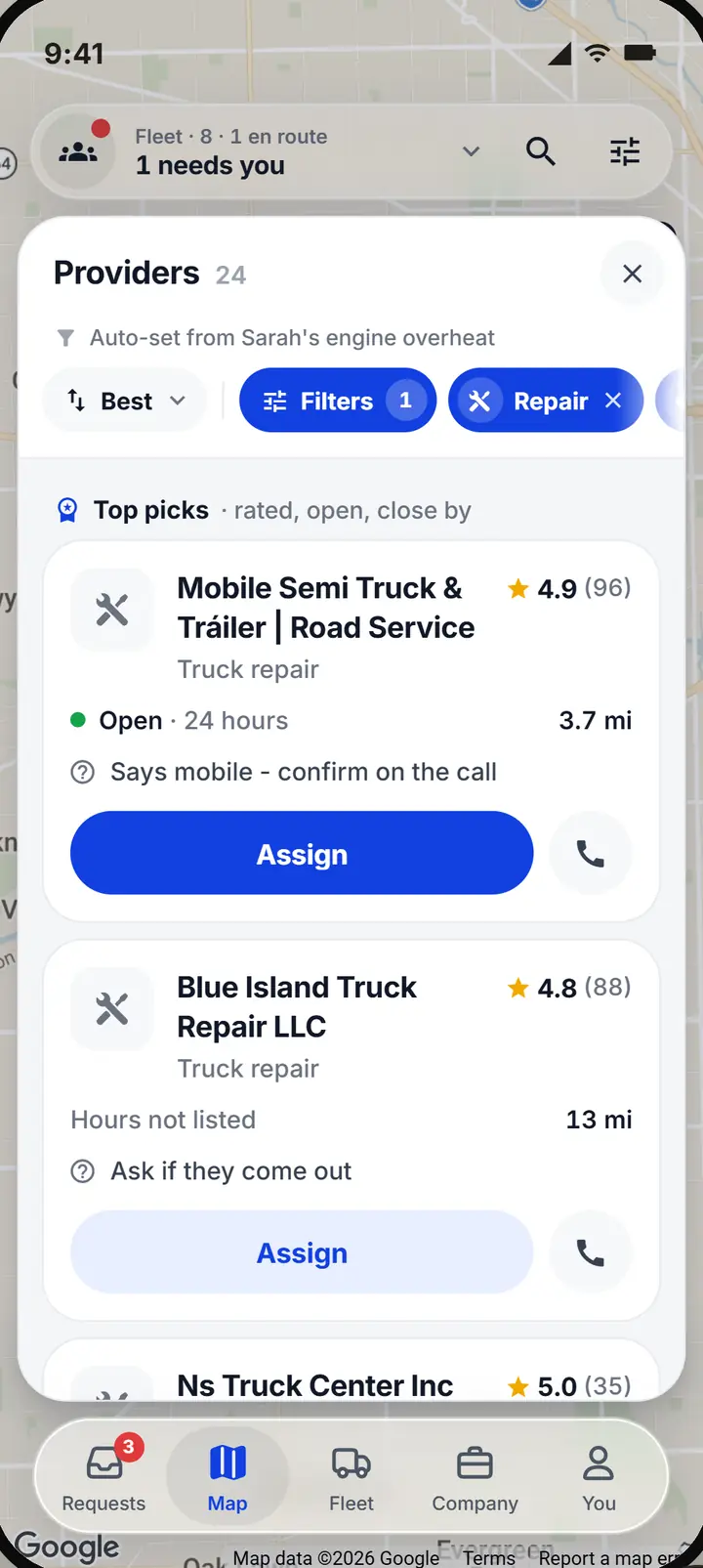
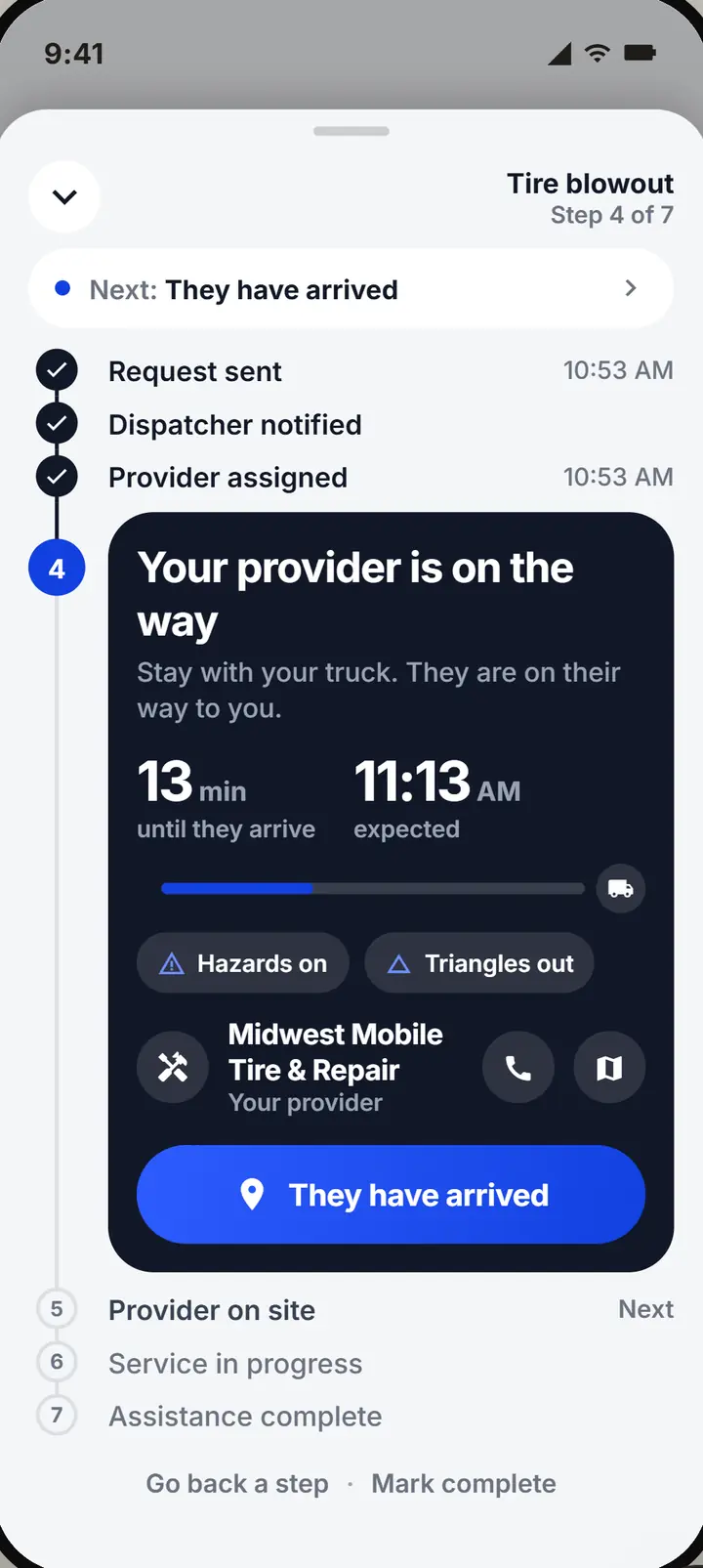
Dispatch assigns, or the driver picks.
A dispatcher opens the rescue, filters the list, calls the shop, picks how help arrives and sends it. The driver's phone gets the shop, the number and directions. Or the driver opens the map, calls and chooses a shop, and the rescue shows up on the company's board just the same.
Directions, location and saved shops.
What the map does, and what it does not.
Directions
Open in Google Maps or Apple Maps. Upways does not route for clearance, weight or hazardous materials.
Location
While the driver app is open, the truck's latest position is shared with dispatch. Never in the background, and no trail is kept.
Trusted shops
Save the shops you trust and they come first in every list. A trusted provider is a preference, not a contract.
Does a listing mean the shop is available?
No. Call first. The send screen puts the number first for that reason.
How fresh are listings?
Business details are refreshed on a schedule and when someone opens a listing. Hours and ratings are only shown when they are on record.
Who pays the provider?
You do, directly. Upways records the cost with the rescue; it does not bill for service.
How do you know a shop comes out?
From what is on record, and from what your own company hears on the call. Until one of those says so, the listing says to ask.
Make the next stop part of the record.
Set up your company, invite your drivers with a code, and the next time a truck stops you will see it first.